top of page

Subscribe to my YouTube Channel for a Complete List of Videos
Search

Learn how to use Fusion Arrange
Fusion Arrange: Create Compact Cutting Layouts for Laser, Plasma and CNC Manually positioning parts for a laser cutter can sometimes take longer than designing them. Fusion Arrange solves that problem by placing components inside a defined material area. It can help prepare layouts for laser cutting, CNC routing, woodworking, and other flat-stock jobs. Fusion Arrange can preserve the original assembly, control part rotation and send the finished layout to the Manufacture work

Brad Tallis
11 hours ago6 min read
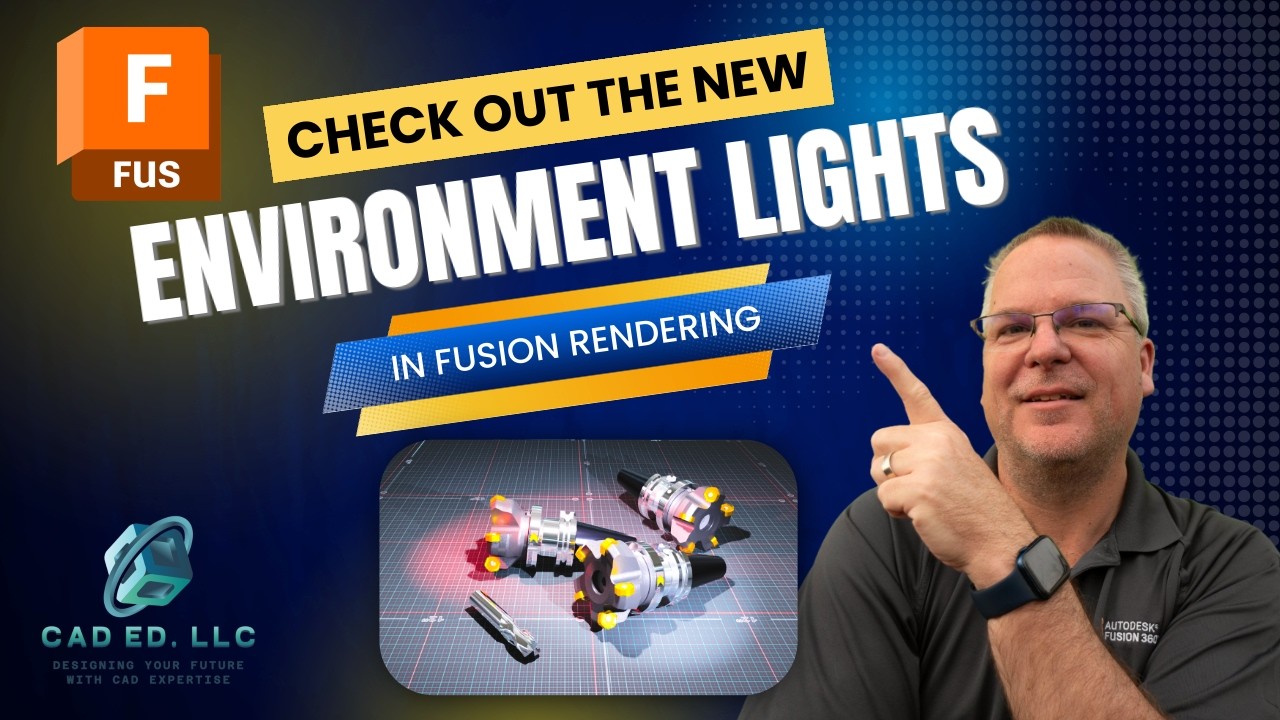
Environmental lights in Fusion Rendering
Creating realistic lighting in Autodesk Fusion once meant building a 3D body, applying an emissive material, and rendering to see how the light would look. Fusion scene lights now remove that slow process. You can now place point lights, spotlights, and photometric lights directly in the scene, then watch shadows and brightness change in real time. The updated tools also provide control over intensity, color, direction, source shape, distribution, and IES profiles. That makes
Brad Tallis
Sep 116 min read

Community Tips - What I've learned from you!
Fusion Community Tips for More Reliable Parametric Models These Fusion community tips show how to build designs that keep their thickness, fit, spacing, and dimensions as the model develops. The methods come from feedback on videos I have done in the past. They cover an angled toolbox, patterned holes, sketches, extrusions, and reusable parameters. Preserve Consistent Material Thickness with Shell and Split Body Why a ruled surface can produce the wrong thickness A ruled surf
Brad Tallis
Sep 46 min read

How to model an Angled Toolbox
How to Model an Angled Toolbox in Fusion Using a Skeleton or Envelope A angled-wall toolbox drawing can look easy at first glance. The trouble starts when the sides taper in two directions while the top and bottom stay flat. Add rabbets, a fitted bottom, and a centered handle, and a basic extrude no longer gives reliable results. This angled toolbox in Fusion is easier to control with a skeleton design, also called an envelope design. Two master sketches define the overall fo
Brad Tallis
Aug 286 min read

Why do my fillets fail?
When Fusion fillets fail, the error message can feel vague: "The fillets cannot be ordered to return a successful solution." The problem usually comes from how the model geometry was created. A radius may remove a face, create a self-intersection, or follow an incomplete edge chain. A simple block with a round boss shows the problem clearly. A small fillet works on the boss, but increasing the radius eventually makes the top face disappear. The red edge in the preview points
Brad Tallis
Aug 215 min read

How to control Patterns on a Path
Pattern on Path: Get Exact Spacing on Curved Designs A pattern can look evenly spaced in Fusion and still be mathematically wrong. This matters when you create 12 holes, connect chain links, place rivets, or repeat slots along sheet metal. Fusion Pattern on Path gives you control over repeated features and components, but the default drag handles often encourage guesswork. The techniques below show how to measure closed paths, prevent duplicate endpoints, orient components, a
Brad Tallis
Aug 146 min read

How to use Contact Sets in Fusion
The rolling marble example I showed in last weeks video uses Contact Sets. This function checks to see when bodies or components contact each other. Drag the sphere across the floor and wall, and Fusion stops it when those selected bodies make contact. Enable Contact Sets for Selected Bodies Under the Assemble menu, Fusion provides Enable Contact Sets and Enable All Contact. Enable All Contact constantly checks whether bodies touch or clash. This makes it computer intensive
Brad Tallis
Aug 75 min read

Fusion Fillets: A deep-dive into how they work
The fillet command is one of the most used tools in 3D design software. It turns sharp edges into smooth, rounded ones. This makes parts look better and is safer, as it removes the sharp edges. Fusion offers many powerful options inside the fillet command. This guide will show you every option. You will learn how to create simple rounds and complex, flowing shapes. We will cover constant and variable fillets, tangency weight, corner types, and more. How to Start a Basic Fille
Brad Tallis
Jul 316 min read

Stump The Chump - How would you model this?
Have you ever looked at a 3D part and immediately thought, "That has to be a loft"? Sometimes the most obvious solution isn't the simplest one. A customer recently sent me a drawing of an angled component, asking for the best way to model it. While my first instinct was to use the loft command in Fusion, that path led to several unexpected challenges. This blog post details that full, problem-solving journey. I'll show you the loft-based method I first used, including the fix
Brad Tallis
Jul 247 min read

How to have the Drawing Parts List show different quantities in Fusion
Creating professional manufacturing drawings in Fusion means getting the details right. A common challenge is showing a detailed view of just one part while still listing the correct total quantity needed for the build. This blog post will walk you through the simple steps to solve this. You will learn how to use visibility controls instead of suppression. You will also see how to customize your parts list table for clearer, more informative drawings. The Core Problem: Quanti
Brad Tallis
Jul 174 min read

Learn how to use Intersection Curves
Building smooth, professional 3D models doesn't have to be a struggle. If you work with complex shapes in Autodesk Fusion, you need to know about a powerful command. The Intersection Curve tool can transform how you create 3D guide curves. It leads to smoother surfaces and saves you from tedious manual editing. This guide explains this advanced technique. You will learn how to use it effectively, avoid common mistakes, and improve your designs. What Is the Intersection Curve
Brad Tallis
Jul 105 min read

Learn how to create complex surfaces
Creating a 3D model of an object with curves in multiple directions can be tough. Items like a kayak paddle need advanced methods. This guide will walk you through one way to model these complex shapes. We will use a process that starts with simple images and builds into a full 3D model. You will learn to use surfaces, guides, and analysis tools to get a clean, professional result. Starting Your Project with Reference Images The first step in modeling a complex shape is to ge
Brad Tallis
Jul 36 min read
Learn how to split bodies to fit on a 3D printer bed
Does your 3D print project involve a model too long for your printer's bed? This is a common challenge for makers and designers. The solution is not a difficult process. You can split your model into smaller, printable parts right inside Fusion. This guide will show you how. Getting Started with Your Slicer in Fusion Before you split anything, set up Fusion to point to your slicer software. This saves time and avoids file format issues. Go to the Utilities tab and click the M
Brad Tallis
Jun 265 min read

How would you make this part?
This blog post breaks down the process for creating a detailed mechanical model in Autodesk Fusion. By using smart features like the pattern and hole commands, you can speed up your design process. The key focus is on keeping all sketches fully constrained. This lets you change the model later and get predictable results. We will build a complex part by breaking it into three simple shapes and using powerful tools. Beginning with a Fully Constrained Sketch The first step is t
Brad Tallis
Jun 196 min read

Creating a surface part without surfaces
A common problem is making a part with a curve in one direction on the bottom and a different curve on the top. Many users try tools like the loft command. They might even think they need surfacing tools. This guide shows you a simpler way. You can create this complex shape using only basic modeling commands. This method is fast and easy to edit later. Understanding the Design Problem You need to create a part with two separate curves. Looking from the front, the bottom of th
Brad Tallis
Jun 124 min read

How to position inserted parts into your design
Adding hardware to a design in Fusion is a key skill. It helps you finish your model and makes your BOM more accurate. This guide will show you a few different methods to bring in and place hardware from sources like McMaster-Carr. You will learn how to position them correctly whether you want a static visual or a moving, functional hinge. Planning Your Assembly Structure Before you add hardware, organize your assembly. A clear structure makes the entire process easier. Place
Brad Tallis
Jun 54 min read

Don't let interferences interfere with your design.
Have you ever built a 3D design that looks perfect, only to discover a major problem during manufacturing? Hidden clashes between parts can ruin a design. They cause assembly issues and costly delays. In Fusion, there is a powerful tool to help stop this. The Interference Check feature finds these hidden problems before you send your files for production. This tutorial shows you how to use this tool. We will walk through finding clashes in a complex assembly and fixing them.
Brad Tallis
May 295 min read

8 Great Sketch Tips
Do you find yourself spending way too much time on simple sketches? Many CAD users get bogged down by tedious clicks and repetitive dimensioning. Small inefficiencies might seem minor at first, but they add up over a long project. If you spend an hour on a sketch that should take ten minutes, you're fighting the software instead of designing. These eight Fusion sketching tips focus on removing those bottlenecks. We will cover better ways to align parts, smart dimensioning, an
Brad Tallis
May 225 min read

Using the Extrude Intersect command
Creating complex parts in Fusion does not have to be a tedious process. This guide shows you a faster way to build a radial clip part by using simple shapes and the Extrude Intersect command. You will learn how to stack layers like a cake and use clever tricks to keep your designs easy to change. The Wedding Cake Method for 3D Modeling When you look at a part that is round but has different widths, you might think of using a revolve. However, there is a simpler way called the
Brad Tallis
Apr 245 min read

New Corner Closure command in Fusion Sheet Metal
Autodesk just added a powerful new tool to Fusion called Corner Closure . This feature lives inside the sheet metal functionality. It helps designers fix gaps between flanges that do not meet perfectly. In the past, closing these gaps required complex sketches or moving faces manually. Now, you can pick two edges and let the software do the work. This tool makes your sheet metal parts look better and stay ready for manufacturing. What is the Corner Closure Command? The Corner
Brad Tallis
Apr 174 min read
bottom of page